¶ Troubleshooting a Servo Motor Losing Steps or Axis Movement Issues
If you ever experience any of the following issues on your Makera CNC machine:
Incorrect movement on one of the axes
Motor losing steps
No movement on an axis
Directional issues (wrong direction)
Axis has jagged or uneven movement
Please follow this step-by-step guide to identify and fix the problem.
¶ Step 1: Identify the Affected Axis
Before opening the machine, determine which axis is affected by examining your faulty job or test cut:
If the toolpath or details are stretched left or right, the issue is likely on the X-axis.
If the details are stretched up and down, the issue is likely on the Y-axis.
If the parts are cutting too deep or too shallow, the issue is likely on the Z-axis.
Knowing which axis is affected will help you check the correct motor and wiring.
¶ Step 2: Access the Controller Board
Power off and unplug your CNC machine.
Remove the back panel of the machine.
Locate the controller board — it is positioned on the right-hand side inside the enclosure (see image for reference).
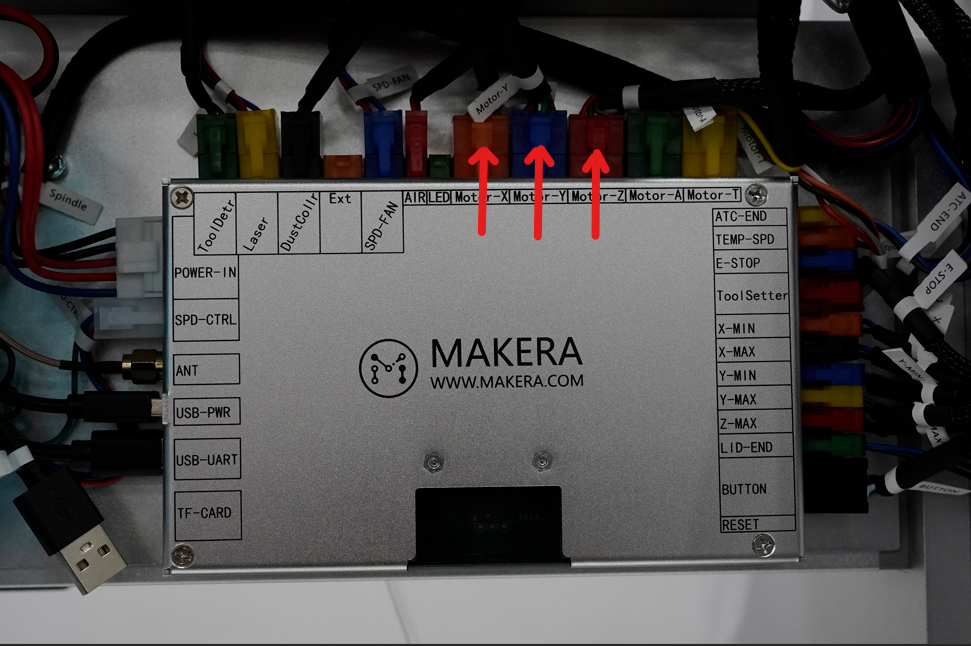
Find the plug corresponding to the affected axis.
Gently remove the plug and inspect the connector. Make sure all wires are seated securely in the plug.
Reseat the plug firmly back into the controller board.
¶ Step 3: Inspect the Motor Connection
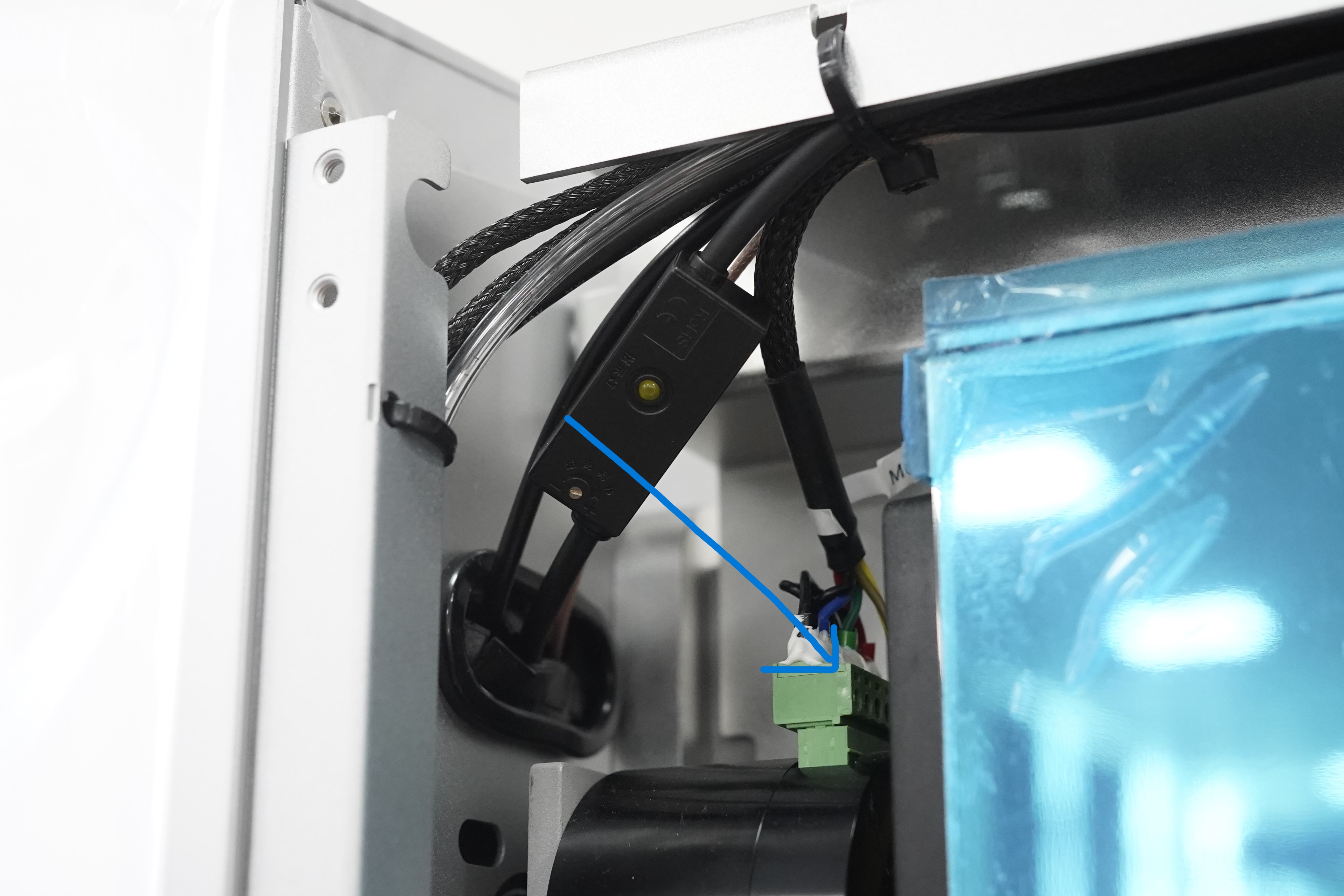
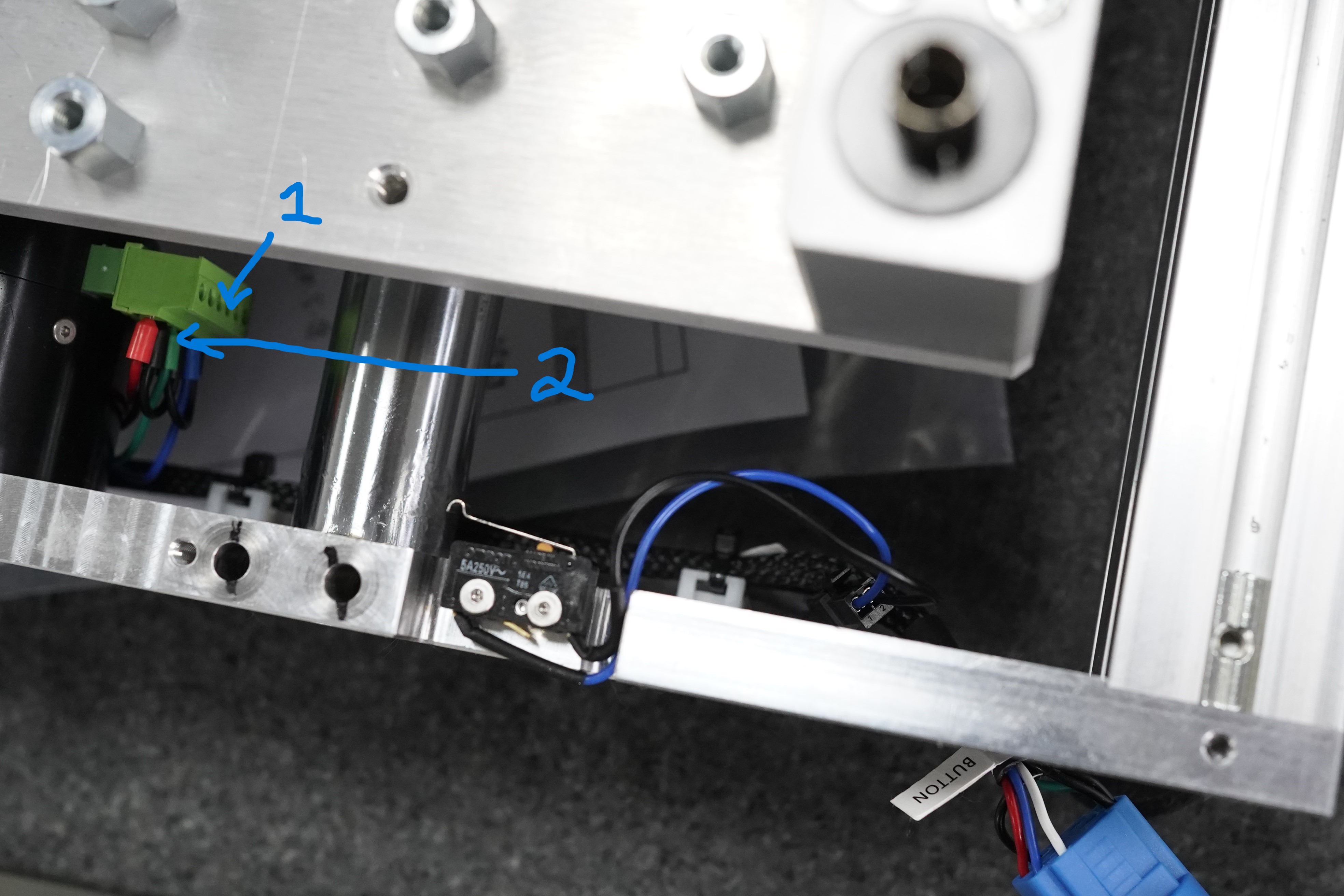
Next, check the connection on the opposite end of the same wire — the motor itself.
X-axis motor: Accessible from the back panel of the machine.
Y-axis motor: Accessible from under the machine.
Z-axis motor: Accessible from the front of the machine, behind the gantry.
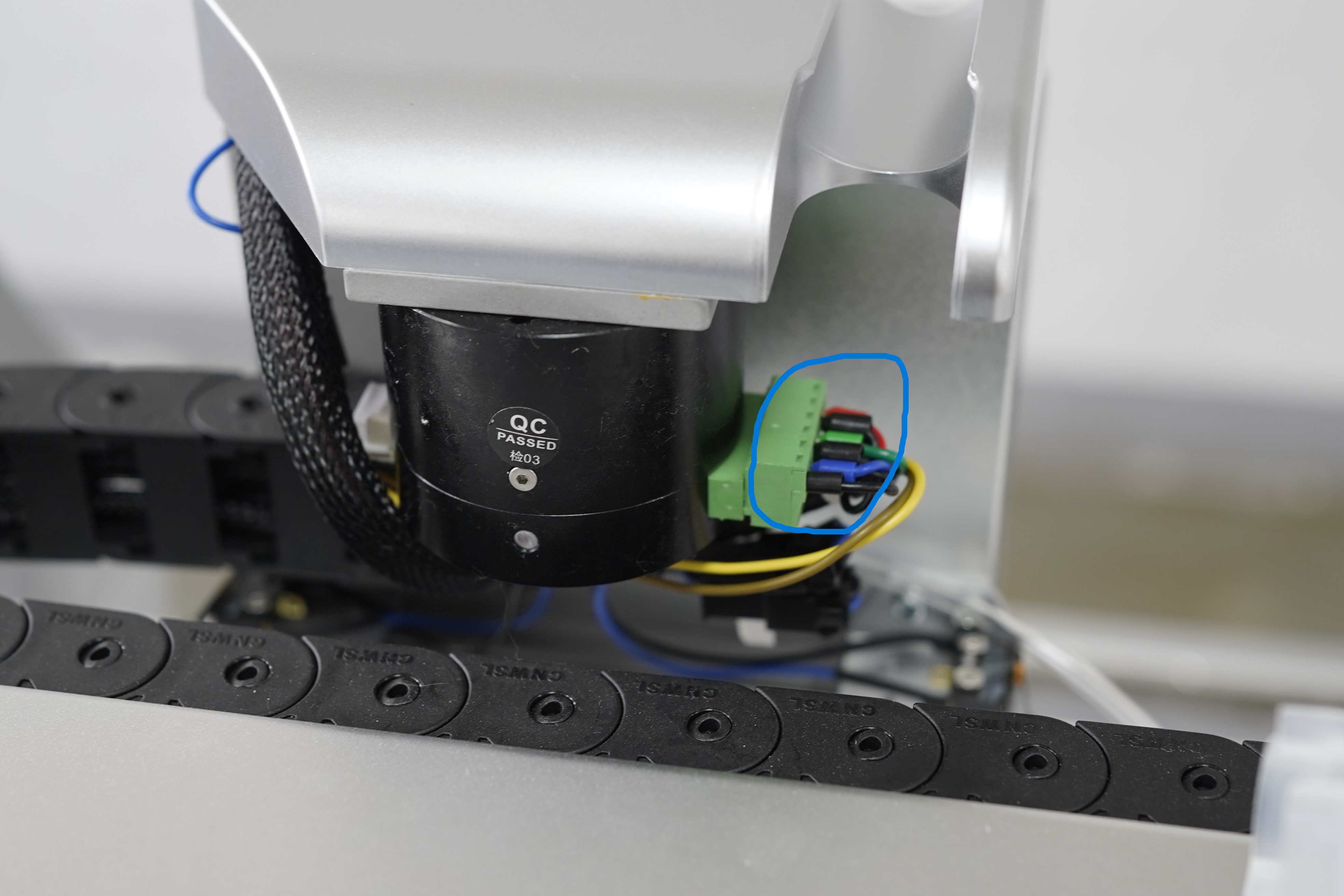
Inspect the plug for looseness or damage, and ensure the connector is fully seated.
¶ Step 4: Test the Machine
After checking and reseating all plugs:
Power on the machine.
Run a short test job or jog the affected axis manually.
Observe if the issue has been resolved.
If the problem persists, continue to the next step.
¶ Step 5: Check Cable Continuity
Using a multimeter, test the continuity of the cable between the controller board and the motor.
If you detect a break or inconsistent signal, the cable may need replacement.
Ensure there are no visible signs of wear, fraying, or pin damage on the connectors.
¶ Step 6: Contact Support
If you have verified the connections and continuity but the issue continues, please contact Makera Support for further assistance.
📧 Email: support@makera.com
Include the following in your email:
Description of the problem
Axis affected (X, Y, or Z)
A photo of your setup and any visible damage
Your machine’s serial number (if available)
¶ Summary
Most cases of lost steps or incorrect movement are caused by loose or poor electrical connections between the controller and the motor. Carefully checking both ends of the wiring often resolves the issue. If not, the problem may lie in the cable or the motor itself, in which case Makera Support can assist with replacement or further diagnosis.